1Tax compliance
E-invoices containing &, € or accented letters were rejected outright by SDI.

Overseas Trade
Italian VAT, e-invoicing compliance, stacked discounts, multiple languages and integrated POS, serving hundreds of wholesale buyers and thousands of retail stores.
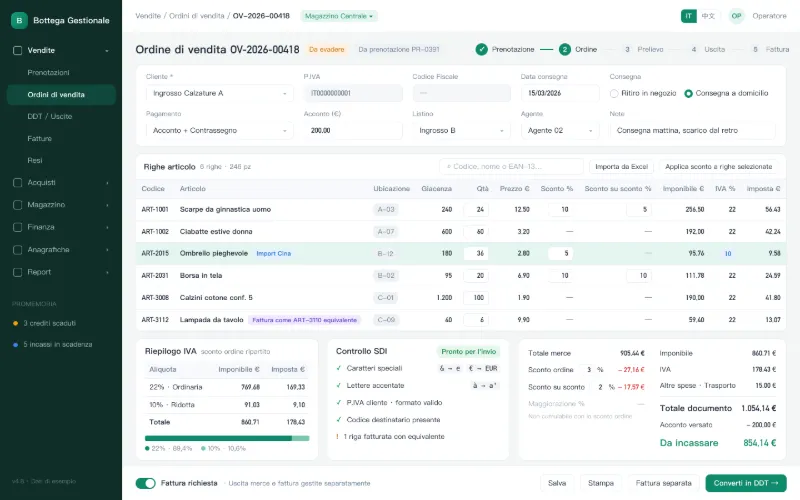
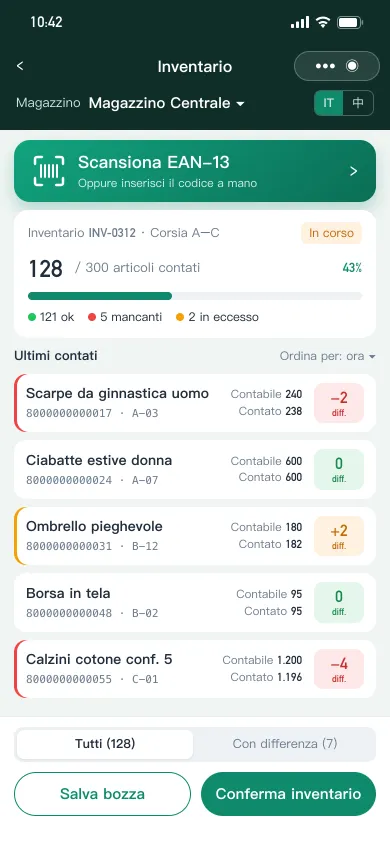
The client is a group of Chinese-owned wholesale and retail businesses around Naples, running seasonal pre-sales, wholesale fulfilment and large-format retail. Stock comes from both Italian suppliers and Chinese imports, each with different VAT rates. Wholesale, retail and mail-order sales were split across several tools that never reconciled, and exported e-invoices were rejected by Italy’s SDI exchange system. They needed inventory and sales software that fits how Chinese wholesalers work and meets Italian tax rules.
1Tax compliance
E-invoices containing &, € or accented letters were rejected outright by SDI.
2Layered discounts
Line, order-level and stacked discounts, with some items excluded on bulk import.
3Invoicing tied to stock
Non-invoiceable items and invoice limits could not be handled apart from stock moves.
4Fragmented channels
Wholesale, retail and mail order ran on separate tools; stock and receivables never matched.
No single system fit Chinese wholesale practice, Italian tax compliance and unified wholesale-retail operations.
Shanku built an Italian localisation on top of a proven inventory and sales core, with wholesale, retail and mobile sharing one product catalogue and one stock ledger. Three rules shape the design: reservations never touch stock, only warehouse staff post stock movements, and invoicing can be decoupled from shipping.
Three-tier documents
Reservation, sales order and goods-out note are separate; stock and cash change only when the warehouse confirms. Purchasing mirrors this.
Discount & VAT engine
Line, stacked and order-level discounts and surcharges are allocated per line, then taxable amount and VAT use each item’s rate.
Decoupled invoicing
Orders flag whether to invoice; standalone and batch invoicing with status tracking; non-invoiceable items map to equivalents.
Card-based picking
Pickers work from product cards showing photo, barcode, bin location, live stock and outstanding quantity, with barcode search.
Integrated POS
A POS that adapts to PC and iPad handles sales, returns and parked sales (auto-parked on power loss), feeding back into reports.
Localised printing
Italian UI; sales orders show P.IVA, Codice Fiscale, bin and stock; drag-and-drop templates; EAN-13 barcodes generated automatically.
Wholesale order flow
Reservation
Price, deposit, delivery and payment terms
Sales order
Sale confirmed, receivable created
Picking
Picked from product cards, scanned to verify
Goods out
Warehouse confirms, stock deducted live
Payment & invoice
Deposit offset; invoice now or separately
Print & hand over
Sales order, delivery note, barcode labels
Reservations and sales orders never change stock; it is deducted only when the warehouse confirms goods out. Overdue and due payments trigger reminders automatically.
Discount rules enforced
Stacked discounts, surcharges and VAT calculate together; a surcharge and a discount cannot coexist on one order.
One gate for stock
Only warehouse confirmations move stock, so mistakes on reservations or orders never distort book inventory.
One dataset, many touchpoints
PC, iPad POS and mini program share catalogue and stock; wholesale and retail report from the same books.
Self-service templates
Receipts, orders, delivery notes and labels are edited visually; stores adjust size and fields without code changes.
Screens are prototypes or rebuilt with sample data. They contain no real client data, amounts or accounts.
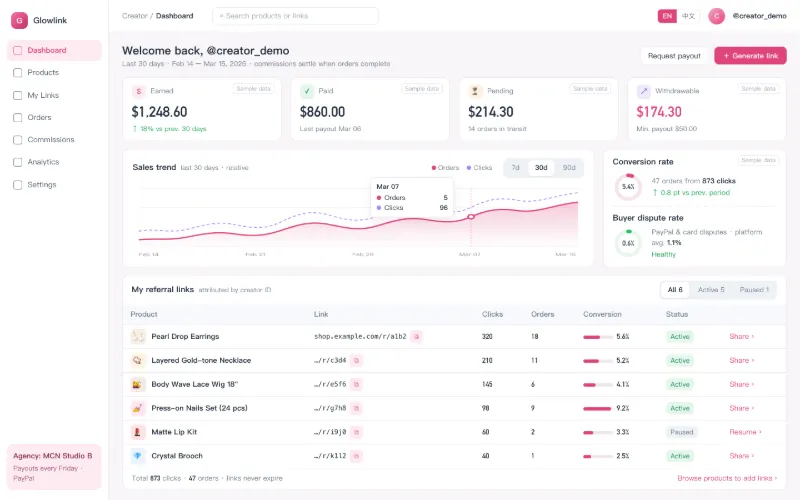
Yiwu Ouhu Import & Export Co., Ltd.
A creator workspace plus a 1688 drop-shipping hub, with PayPal and Stripe multi-currency payments, multi-tenancy and English/Chinese UI.
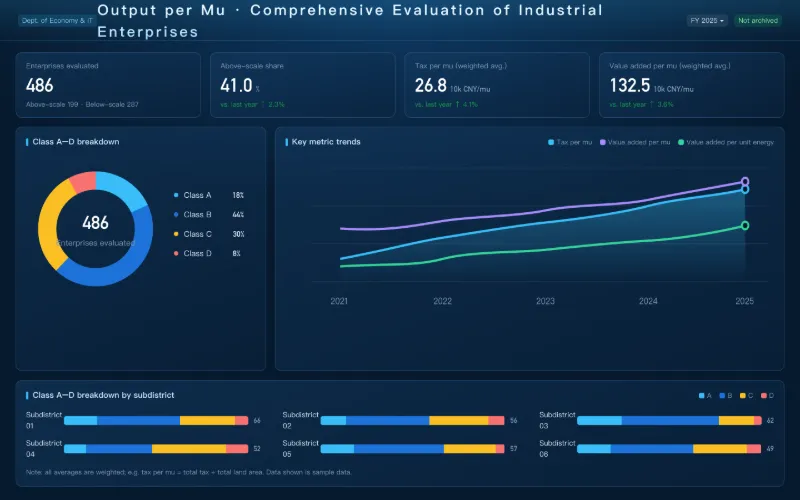
Wenzhou Municipal Bureau of Economy and Information Technology
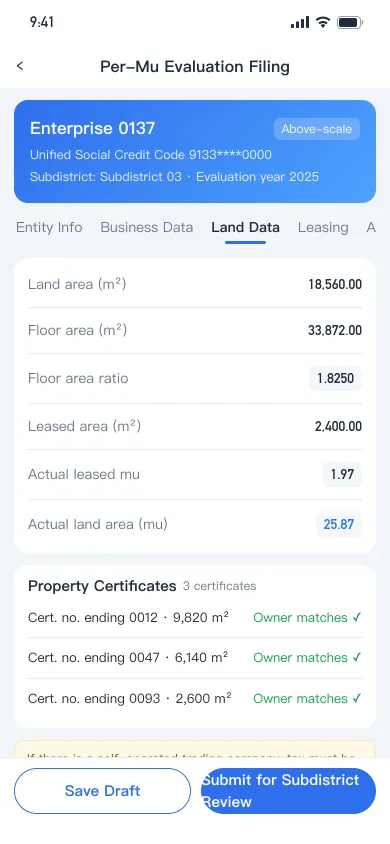
Grades hundreds of industrial firms on output per unit of land: roster import, online filing, six-department review and automatic A–D grading, fully audited.
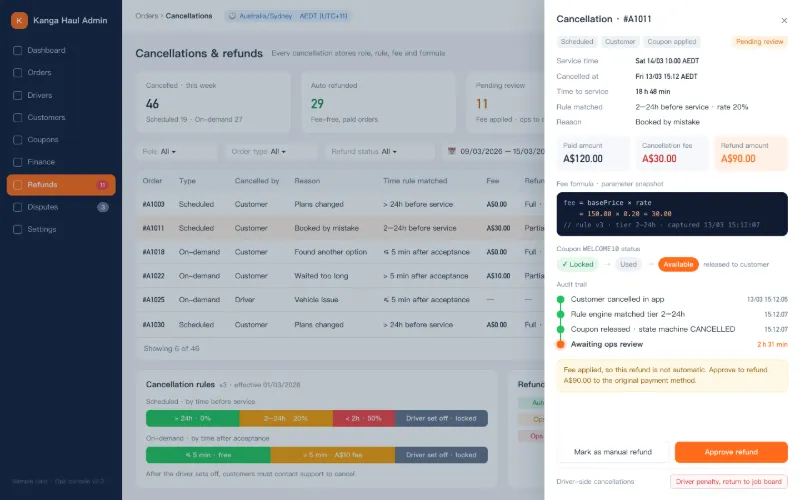
Star X Tech (Australia)
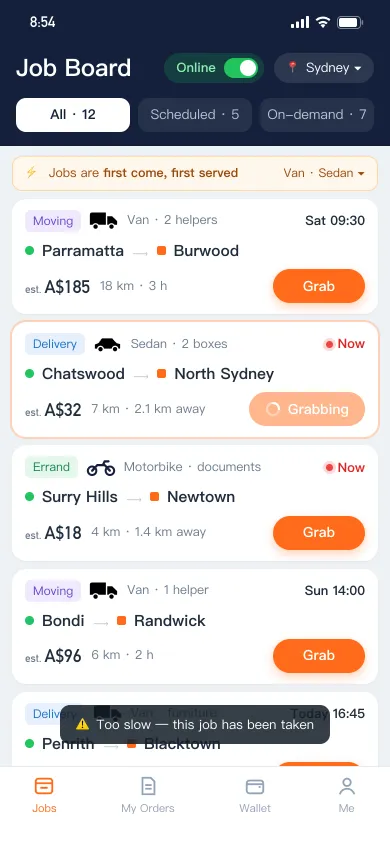
Job board dispatch, distributed locks against double-booking, an order state machine and auditable cancellation and refund rules across time zones.
See how we work together: from requirements and prototypes to launch and handover, every step is spelled out in advance.