1No standard for sensitive requests
Prescription statistics and record access were requested verbally or on paper, in no fixed format and hard to audit.

Healthcare
Six kinds of sensitive hospital requests in one place, drag-and-drop approval chains and approvals from a mini program.
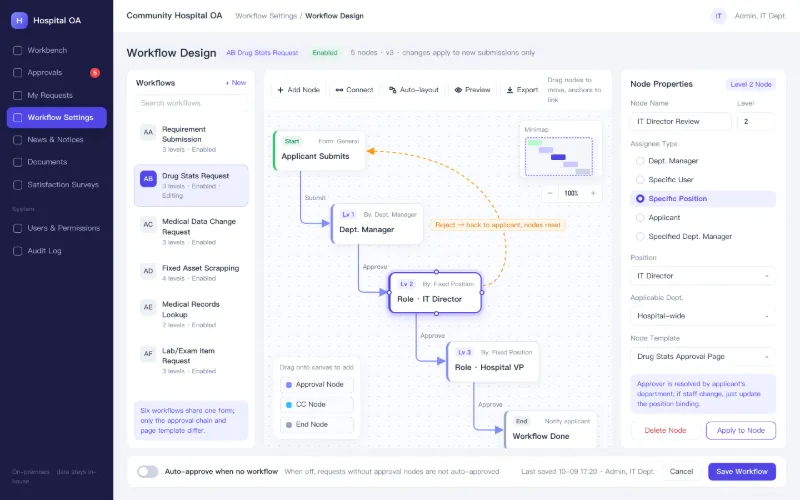
The client is a community-level hospital. Beyond patient care, staff handle a steady stream of cross-department requests: IT changes for clinical departments, data queries for the IT office, medical record access, and asset write-offs. These ran on paper signatures and WeChat group chats, so nobody could see progress or trace accountability. The goal was a single entry point for all of them, with approval chains the hospital could adjust on its own.
1No standard for sensitive requests
Prescription statistics and record access were requested verbally or on paper, in no fixed format and hard to audit.
2Opaque approvals
Multi-level sign-off meant walking between offices, and applicants never knew where a request was stuck.
3Scattered files and notices
Policies and training material circulated in group chats, with conflicting versions and no way to pin or search notices.
4Weak access control
Who could query which data, or approve which request, was not enforced by any system.
Sensitive requests need step-by-step, auditable approval without adding legwork for clinical staff.
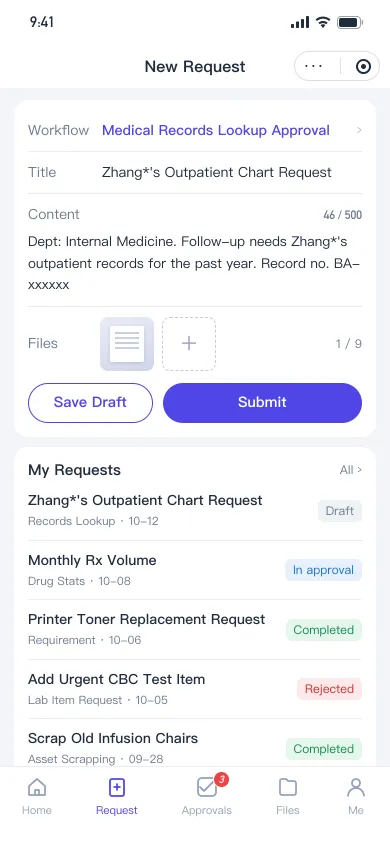
Shanku built an in-house OA platform: the PC console handles workflow setup, content, and permissions, while the WeChat mini program handles submissions and mobile approval. All six request types share one form model and differ only in their approval chains and review templates.
Six request types, one entry
IT requests, prescription statistics, clinical data changes, asset write-offs, medical record access, and lab test items are preset at launch.
Drag-and-drop approval chains
Admins wire approval steps on a canvas and update them in the PC console when roles change, with no code release.
Automatic approver routing
Each step can target a department head, a named user, a position, or the applicant, resolved from the applicant’s department at submission.
Mobile approval
Staff submit, approve, or reject in the mini program; pending items show as a badge and trigger WeChat subscription messages.
Full audit trail
Every submission, approval, and rejection is logged with time and operator, and the review page shows the request body and attachments.
Central files and surveys
Files are shared by department or person with read and download logs; satisfaction surveys are issued and tallied online.
Request approval flow
Pick type
Choose one of the six request types
Draft
Enter title, details, and attachments; save as draft
Submit
Approval steps are generated from the workflow
Notify
Approver gets a subscription message and badge
Review
Approve or reject on mobile or PC
Complete
Final approval closes the request with full history
A rejection at any level returns the request to the applicant and resets all approval steps for resubmission.
Auditable sensitive actions
Every step of a prescription statistics or record access request is logged with operator and time.
Workflows that follow staffing
When leaders or roles change, admins update steps or position bindings in the console and it takes effect immediately.
Pending work finds people
Badges and subscription messages deliver pending approvals to phones, so no one has to chase sign-offs in person.
Extend by configuration
Workflow definitions are decoupled from request records, so a seventh or eighth request type is mostly configuration.
Screens are prototypes or rebuilt with sample data. They contain no real client data, amounts or accounts.
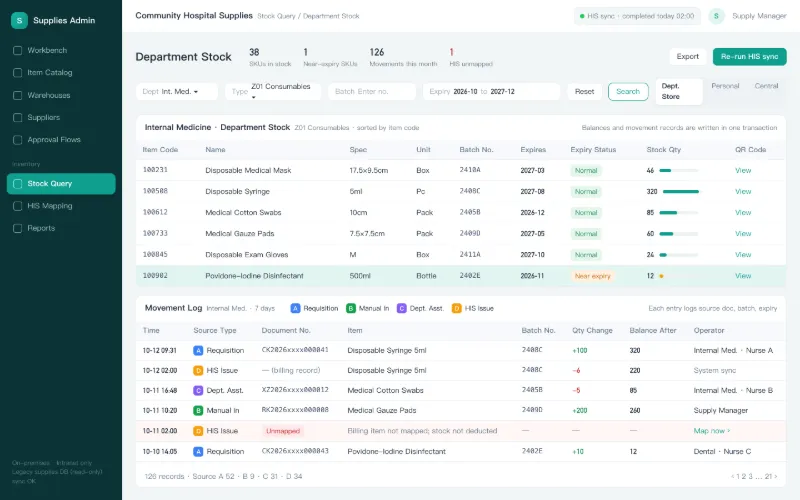
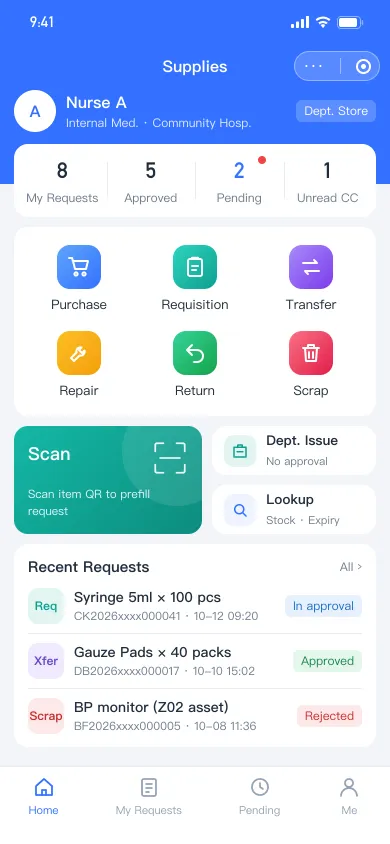
Scan-to-request on DingTalk with multi-level approval; HIS orders deduct department stock automatically while the legacy MSSQL system keeps running.
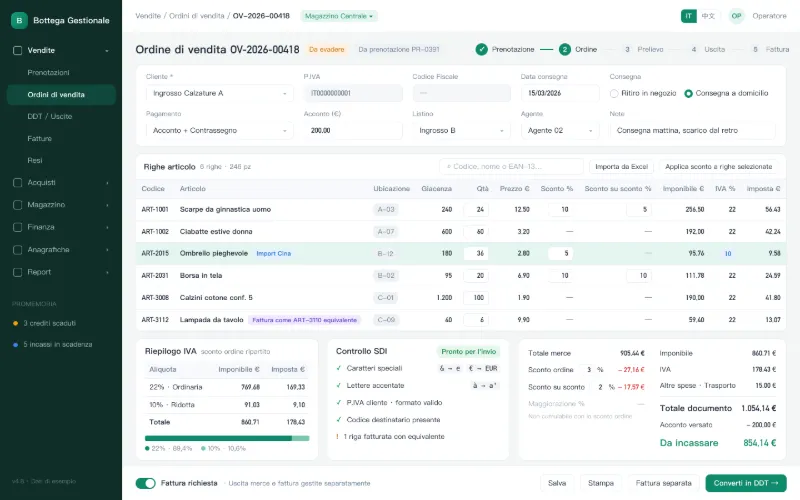
Chinese-owned supermarket group, Italy
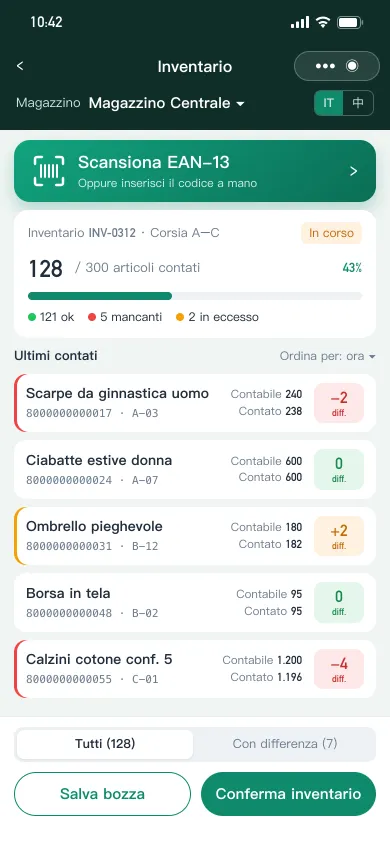
Italian VAT, e-invoicing compliance, stacked discounts, multiple languages and integrated POS, serving hundreds of wholesale buyers and thousands of retail stores.
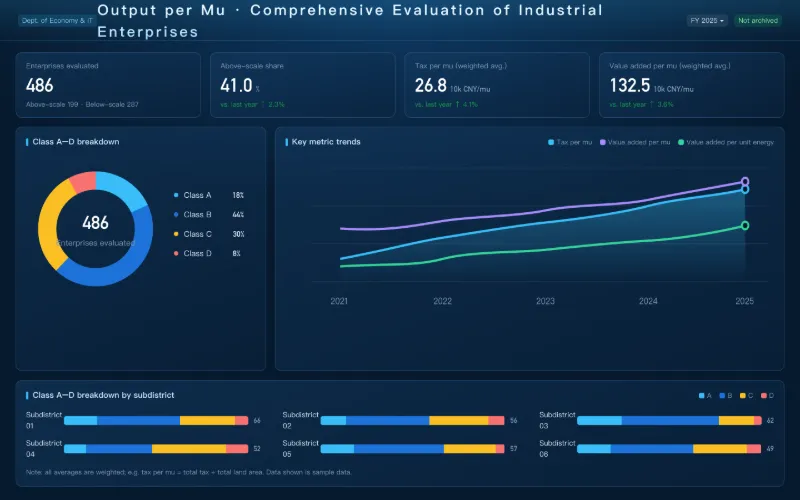
Wenzhou Municipal Bureau of Economy and Information Technology
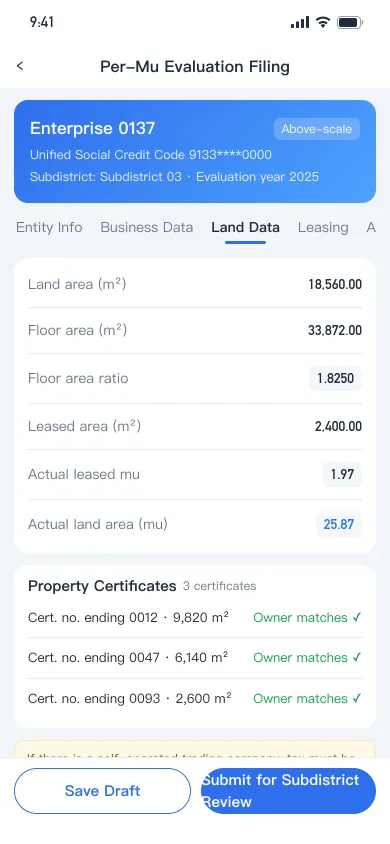
Grades hundreds of industrial firms on output per unit of land: roster import, online filing, six-department review and automatic A–D grading, fully audited.
See how we work together: from requirements and prototypes to launch and handover, every step is spelled out in advance.